Refining a script with AI
Refine with AI asks Gemini to edit your script for reading aloud. You might want it tighter, more conversational, shorter, or with delivery cues added. You see every proposed change before anything is saved.
The button shows only when the server has AI refine turned on.
Run a refine
Open a script and click Refine with AI in the toolbar, or press ⌘⇧E (Ctrl+Shift+E on Windows and Linux).
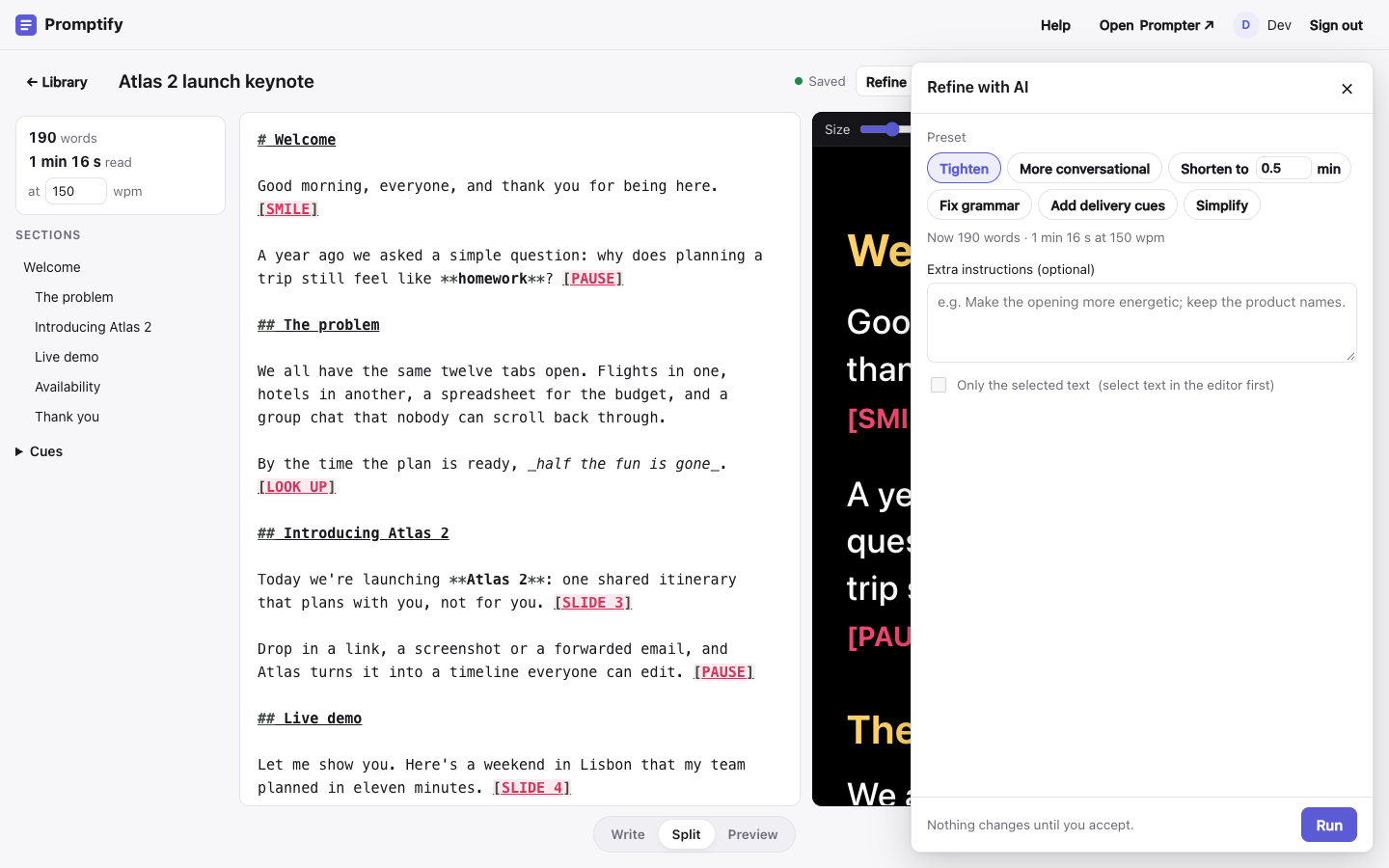
Pick a preset, write your own instructions, or do both:
Preset What it does Tighten Cuts filler, repetition and hedging, and keeps every key point. More conversational Uses contractions, direct address and shorter sentences that are easier to say. Shorten to N min Aims for a read time of N minutes. The number starts at your current estimate minus one minute. Fix grammar Fixes spelling, grammar and punctuation, and nothing else. Add delivery cues Inserts [PAUSE],[BREATHE],[SLOW],[LOOK UP]and[SMILE]where you'd need them, without changing your words.Simplify Uses plain words, shorter sentences and less jargon. To change only part of the script, select that text in the editor and tick Only the selected text. The rest of the script still goes to the model as context, so the new text fits in.
Click Run. Any unsaved edits are saved first.
While it runs, the panel shows how long it has been working and the text as it arrives. Click Cancel to stop.
Review the changes
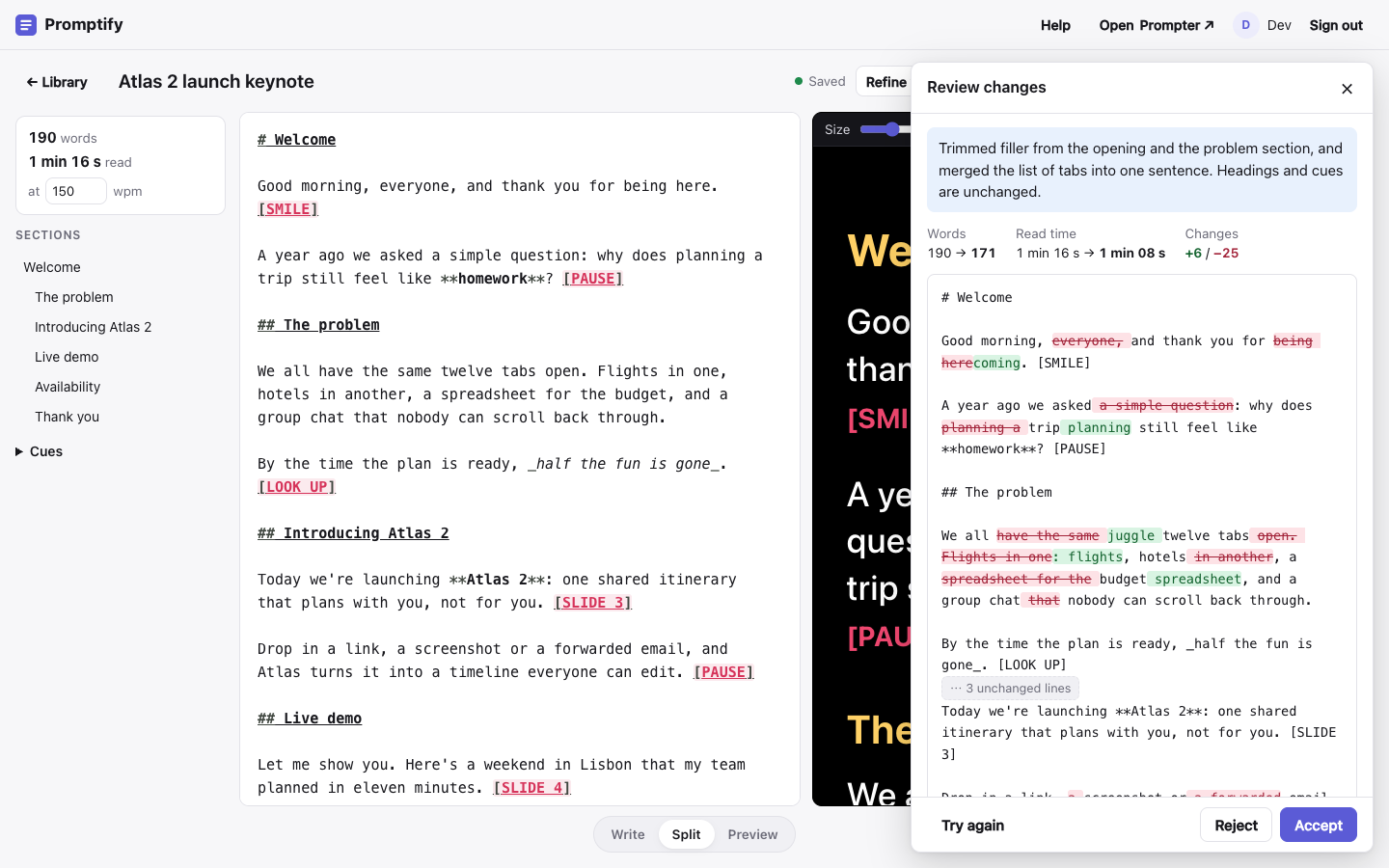
When the model is done, the panel shows:
- a one- or two-sentence summary of what changed;
- the word count and read time, before → after;
- the changes inline, with additions in green and removals in red and struck through. Long unchanged stretches fold away; click ⋯ N unchanged lines to expand them.
Then pick one:
- Accept puts the new text in the editor and saves it. It's one edit, so ⌘Z (Ctrl+Z) brings the old version back.
- Reject closes the panel and leaves the script as it was.
- Try again runs the same request again for a different version.
Nothing is saved until you click Accept.
What the AI keeps
Within each preset, the model is told to:
- keep your meaning and your voice;
- keep every
#heading, because headings are the sections the prompter jumps between; - keep existing cues like
[PAUSE]and[SLIDE 3]where they are; - keep bold and italic emphasis.
Still read the changes before you accept them, especially names, numbers and facts.
Limits and messages
| Message | What it means |
|---|---|
| This script was changed elsewhere | Another window or device saved a newer version. Resolve it with the banner at the top (Load latest or Overwrite with mine), then run again. |
| Try again in N min | Each person can run 30 refines per hour. |
| Over 60,000 characters | The script is too long to refine in one go. Select a part of it and refine that instead. |
| AI refine isn't available | The server has no Gemini key configured. |
| Took longer than 120 s | The model was too slow. Try again, or refine a smaller selection. |